 P24
No image
P24
No image
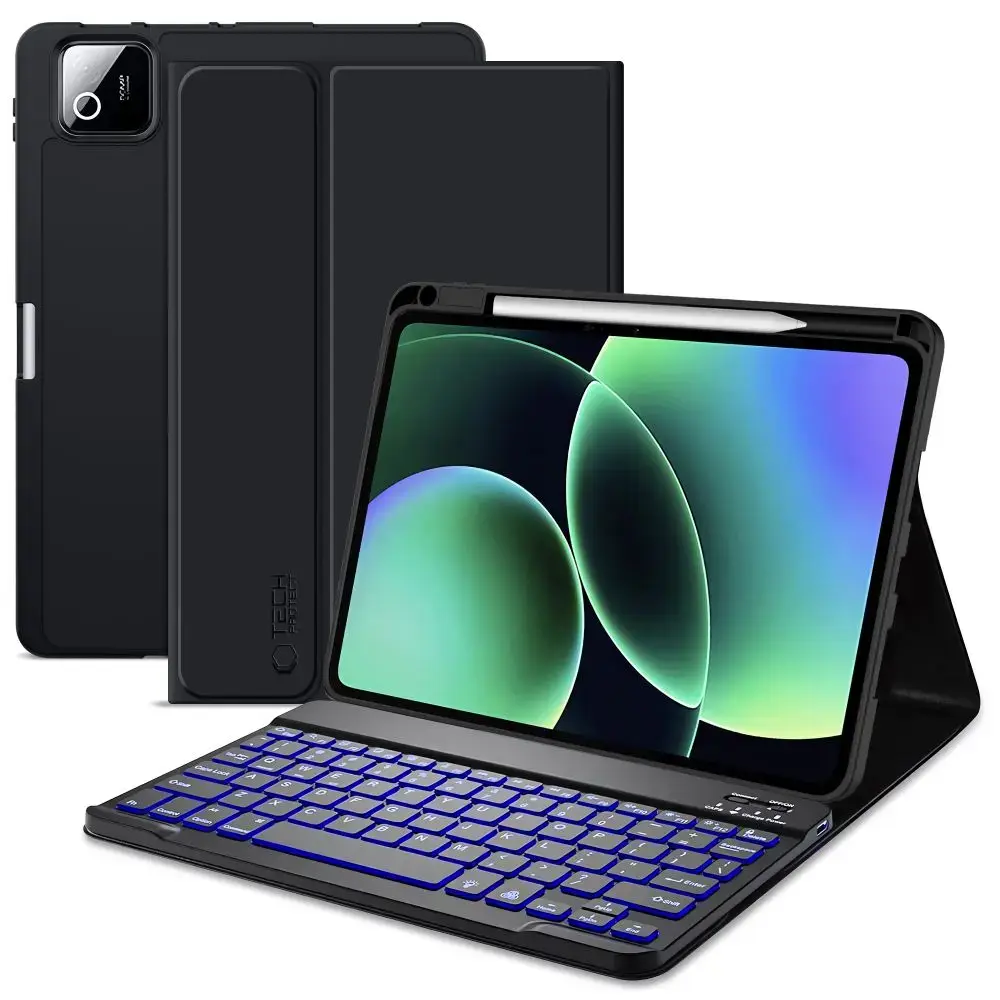
TECH-PROTECT SC PEN + KEYBOARD XIAOMI PAD 7 / 7 PRO / 8 / 8 PRO 11.2 BLACK
30.37
EUR
Price incl. VAT
In stock - 50+ pcs.
Delivery
Latvia
Pick up in store14.07.2026 *
Free
Pick up from parcel locker15.07.2026 *
2.41 EUR
Courier delivery15.07.2026 *
4.99 EUR
Description
The Tech-Protect SC Pen + Keyboard case is the ultimate companion for your Xiaomi Pad, combining robust protection with high-end productivity. Crafted from premium materials and flexible, matte-finish TPU, this case shields your tablet from scratches and impacts while maintaining a sleek, professional profile. Whether you are typing up documents or streaming media, this versatile accessory transforms your tablet into a complete workstation.
Key Features
- Integrated Keyboard: Features a magnetic, wireless Bluetooth keyboard with built-in backlighting for comfortable typing in any lighting condition.
- Smart Design: Includes a dedicated, secure slot for your stylus, ensuring it is always ready when inspiration strikes.
- Versatile Stand: The foldable design allows you to position your tablet at the perfect angle for typing or viewing.
- Battery Efficiency: Supports automatic wake/sleep functionality to help preserve your tablet's battery life.
- Precision Fit: Expertly engineered cutouts provide full access to the camera, ports, and speakers without removing the case.
- Long-Lasting Performance: The keyboard offers up to 140 hours of continuous operation on a single charge.
Technical Specifications
- Compatibility: Xiaomi Pad 7 / 7 Pro / 8 / 8 Pro (11.2")
- Keyboard Connectivity: Bluetooth (up to 10m range)
- Battery Life: Up to 140 hours
- Material: Durable TPU with a matte finish
- Color: Black
- Special Features: Backlit keys, stylus storage, auto sleep/wake, integrated stand
Kit Contents
- 1 × Tech-Protect SC Pen Case
- 1 × Wireless Bluetooth Keyboard
- 1 × USB-A to USB-C Charging Cable (18 cm)
Note: To ensure proper connectivity, please use the following key combinations after pairing: Fn+Q for iOS, Fn+W for Android, or Fn+E for Windows.